Press play on it all.
Ripple is one desktop player for YouTube, YouTube Music, SoundCloud and the music on your drive. Synced karaoke lyrics, a 10-band equalizer and offline playback, free and open source.
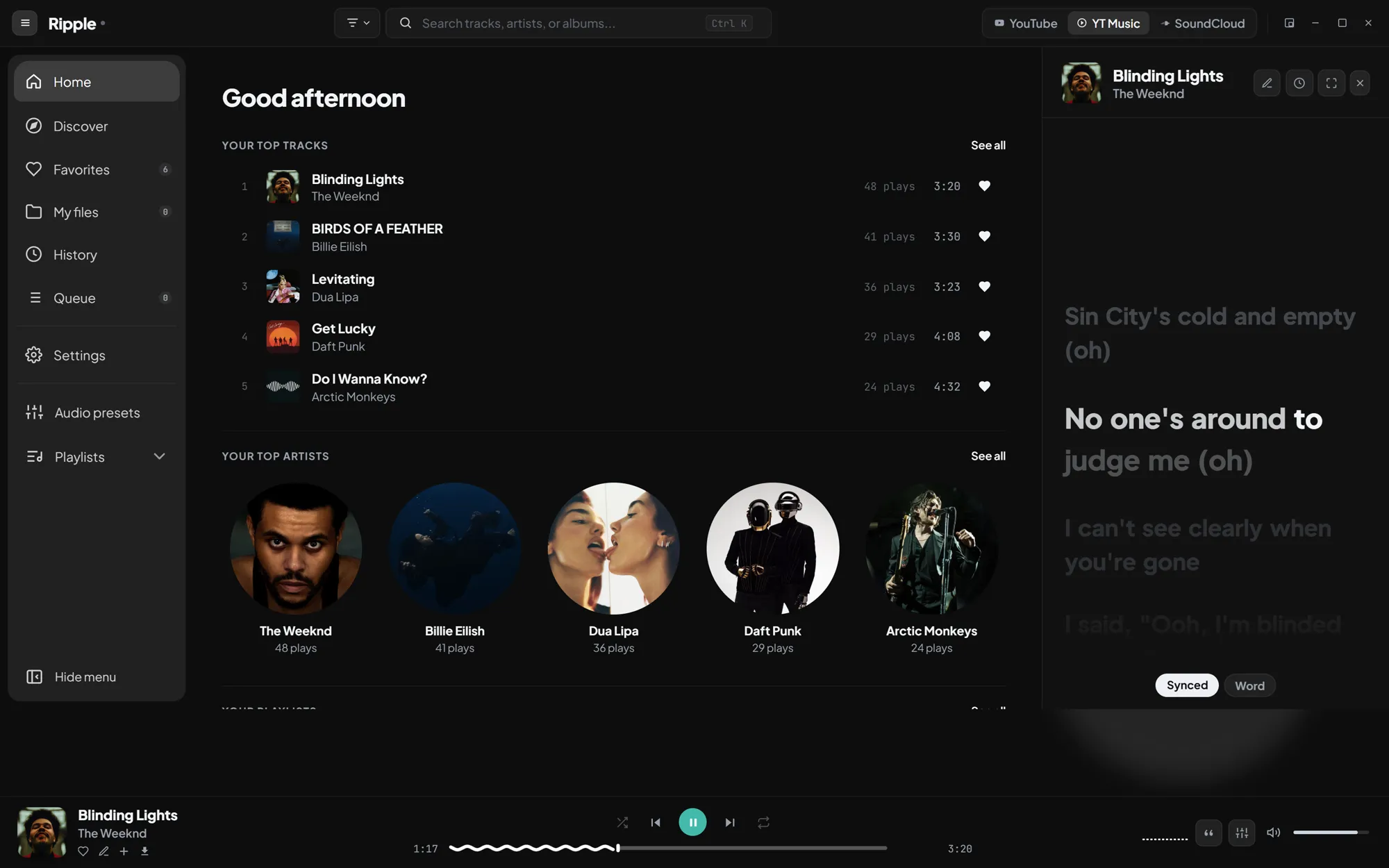
YouTubeYouTube MusicSoundCloudYour files
Stop juggling tabs. Every song, its lyrics and your sound live in one window.
Inside Ripple
-
01Every source
One search, every platform
Search YouTube, YouTube Music and SoundCloud at once and play your local folder in the same queue. If a platform refuses a track, Ripple finds the same song elsewhere and prefers the original version with the right length.
-
02Synced lyrics
Sing along, word by word
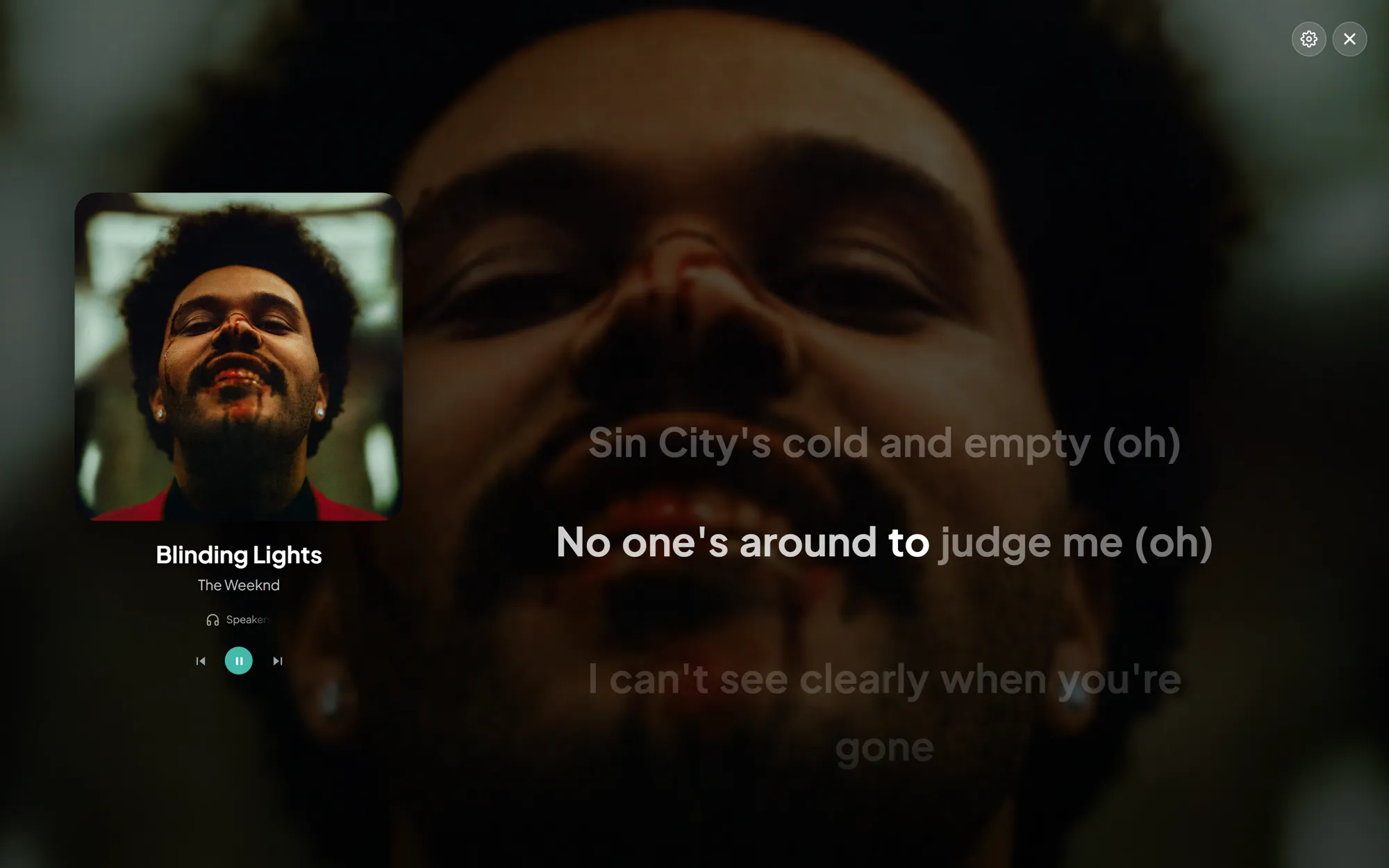
Real-time synced lyrics from LRCLIB with word-by-word karaoke highlighting. When a music video has a long intro, Ripple measures it and shifts the lyrics to match.
-
03The sound
Shape every song
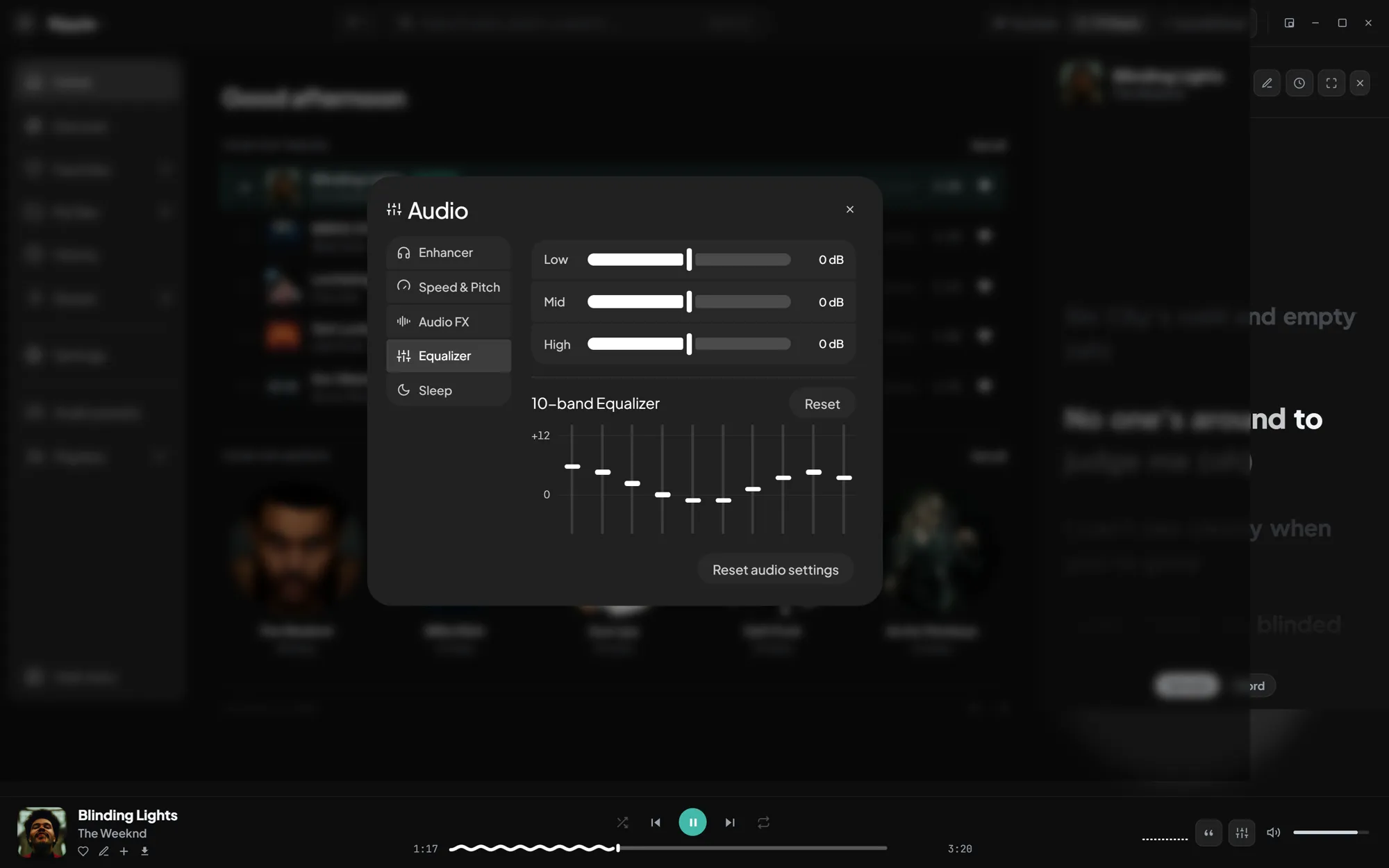
A 10-band equalizer with presets you can save, rename and blend into each other, plus a High Quality engine with Vocal Clarity, High-End Air and Bass Depth.
-
04Presets
A preset for every mood
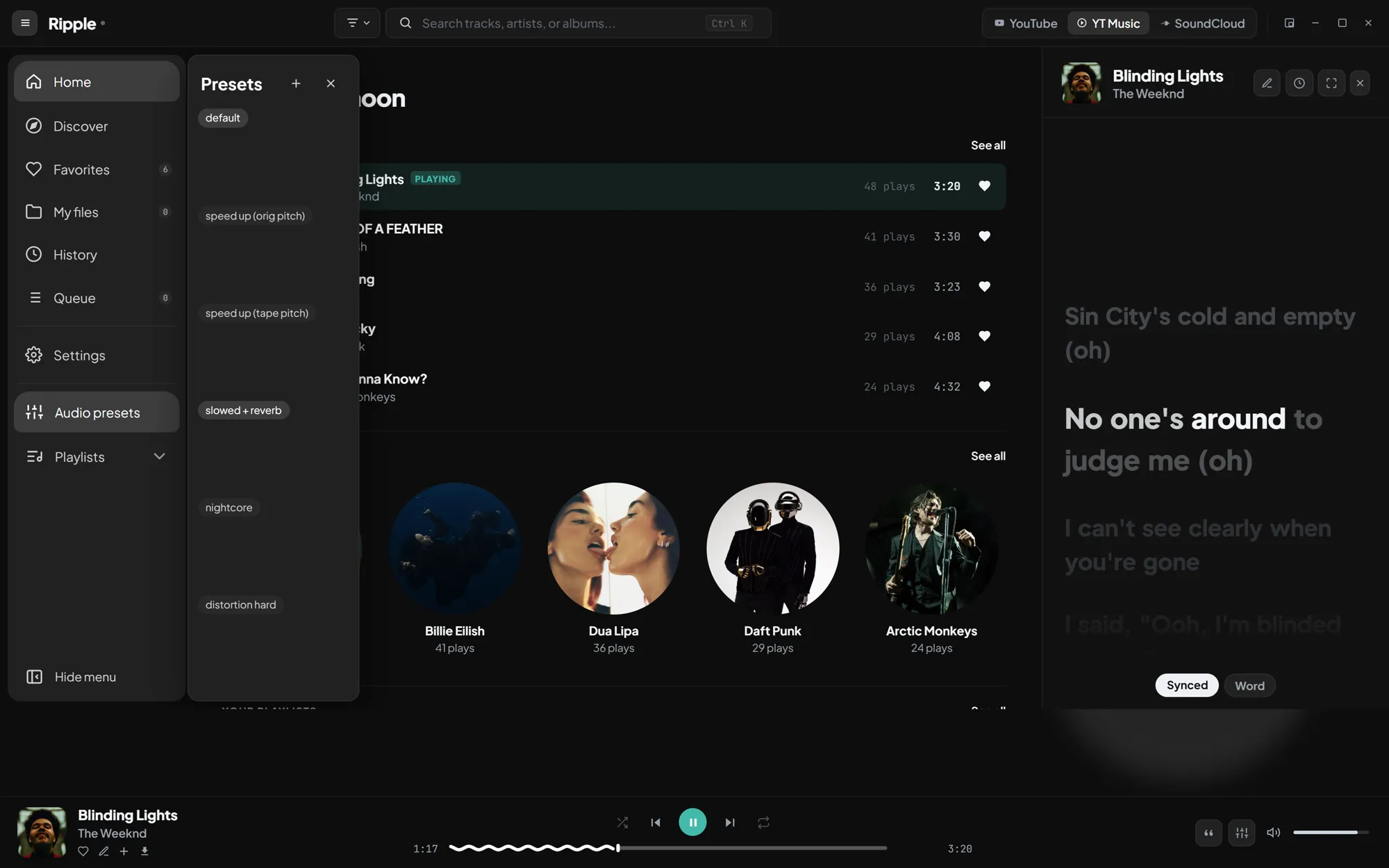
Switch between default, speed up, slowed + reverb or nightcore in one click, or save your own mix of speed, pitch, reverb, echo and EQ.
-
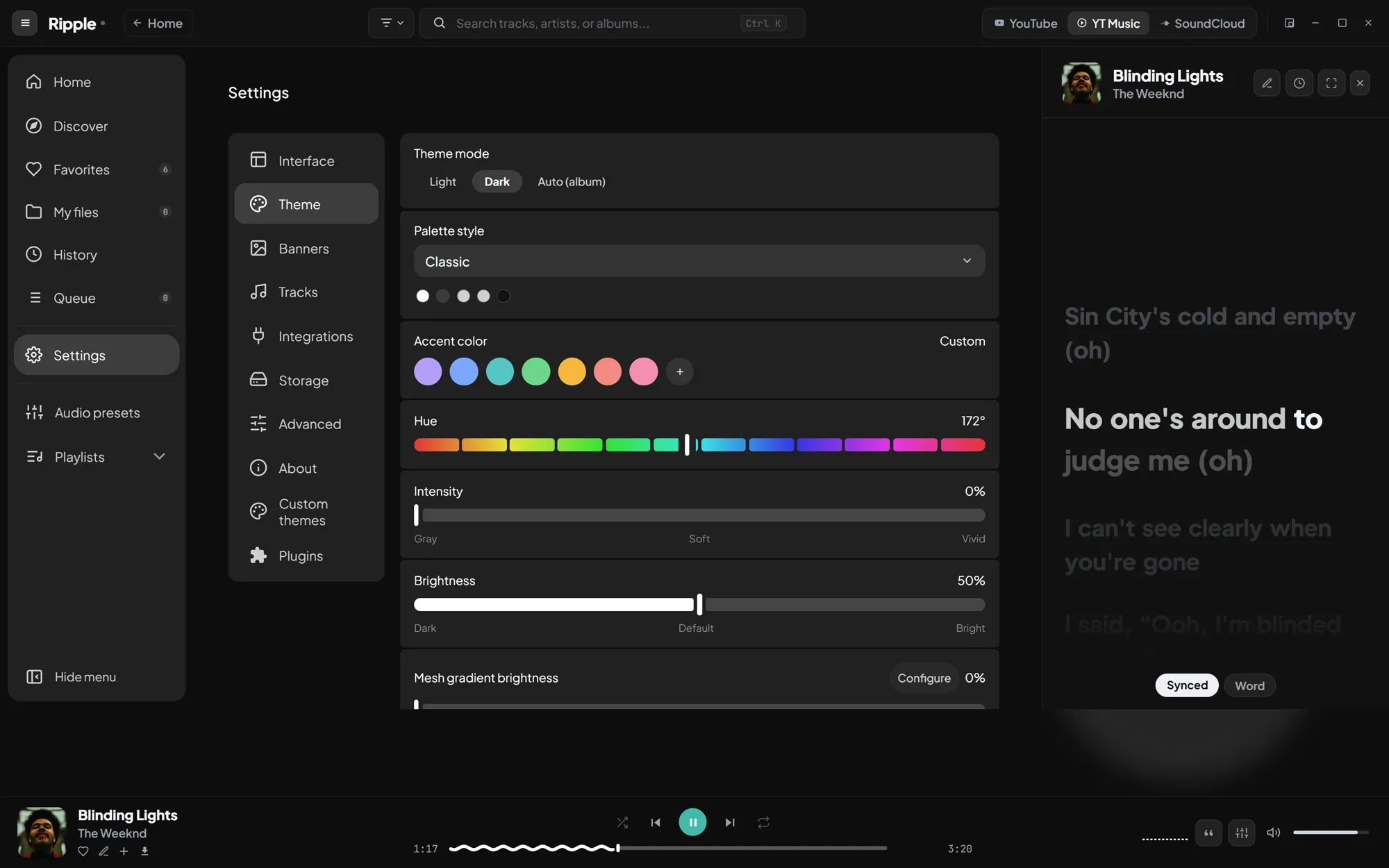
05Make it yours
Your colors, your rules
Light, dark and neutral modes, any accent color, mesh backgrounds that follow the cover art, and full control of scale, fonts and corners. Go further with custom CSS and JavaScript plugins.
Real screenshots of Ripple. Artist names, artwork and lyrics belong to their owners.
0
accounts needed. Search and play without signing in.
4
sources in one queue: YouTube, YouTube Music, SoundCloud and your files.
MIT
Free and open source. Read every line, fork it, build it yourself.
Also on board
- Downloads in MP3, M4A, FLAC, Opus, WAV or OGG
- Offline cache for what you play
- Import playlists from Spotify, Apple Music and YouTube
- Mini player, system tray and media keys
- Discord shows what you're listening to
- Custom CSS and JavaScript plugins
Ready to play.
Pick your system. Installers are built by GitHub Actions for every release.
- Download the installer.
- Run it. No admin rights needed: Ripple installs for your user.
- If SmartScreen appears, choose More info, then Run anyway. The builds are not code-signed.
- Download the disk image.
- Open it and drag Ripple into Applications.
- If macOS reports the app as damaged, run this once in Terminal:
xattr -cr /Applications/Ripple.app
- Download the package.
- Install it from the folder where you saved it:
sudo apt install ./Ripple_1.2.0_amd64.deb - Launch Ripple. On first launch it fetches yt-dlp and FFmpeg for you.
- Download the package.
- Install it from the folder where you saved it:
sudo dnf install ./Ripple-1.2.0-1.x86_64.rpm - Launch Ripple. On first launch it fetches yt-dlp and FFmpeg for you.
- Download the package.
- Make it executable and run it:
chmod +x Ripple_*.AppImage && ./Ripple_*.AppImage - Launch Ripple. On first launch it fetches yt-dlp and FFmpeg for you.
Builds are not code-signed, so Windows and macOS may warn you the first time. The full source is public, and you can build it yourself. All releases
Keep Ripple playing.
Ripple is built and maintained by one developer in their spare time. If it earned a place on your desktop, a coffee keeps the updates coming.
Questions
Is Ripple free?
Yes. Ripple is free and open source under the MIT License.
Do I need a YouTube, SoundCloud or Spotify account?
No. Searching and playing work without signing in. A Spotify connection is only used to import your playlists, and you can also import public playlists from a link.
Why does Ripple download yt-dlp and FFmpeg on first launch?
Ripple uses yt-dlp to resolve audio streams and FFmpeg to convert, trim and tag audio. Both come from their official GitHub releases, are verified with SHA-256 and are kept up to date automatically.
A track doesn't play. What can I do?
Ripple automatically tries the same song on another platform. If it still fails, update the tools from Settings, Storage, Required tools, clear the cache, and check Settings, About, Logs for details.
Where are my downloads and offline tracks stored?
Downloads go to the folder set in Settings, Storage, Download folder. Offline tracks live in the app data folder and can be cleared from Settings, Storage, Offline library.
The lyrics are out of sync. Can I fix them?
When a music video plays, Ripple measures the intro and shifts the lyrics automatically. You can also open the custom lyrics editor to adjust or write your own synced lyrics.
Can I write my own plugins or themes?
Yes. Settings, Plugins lets you create JavaScript plugins that react to player events, and Custom themes or the CSS editor restyle the whole interface.
Windows or macOS says the app is unsafe. Is it a virus?
No. The installers are not code-signed, which triggers SmartScreen and Gatekeeper warnings. The full source code is public on GitHub, and you can build it yourself.